Archive for June 2012
Go Native! Native Imaging Options for the K2000
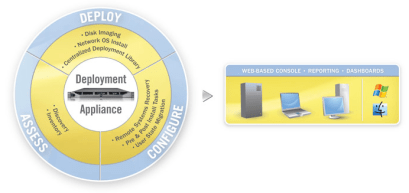
On the Dell KACE K2000 Deployment appliance there have been two options for systems deployment. The first and most flexible option is the hardware agnostic solution of creating a Scripted Installation to deploy an operating system with associated pre-operating system installation tasks and post-operating system installation tasks. The other option is to deploy a K-Image, the Dell | KACE image storage solution. K-Image is a flexible, hardware independent file-based image format.
With the release of the 3.4 version of the K2000 the engineers took the wraps off their latest feature—the ability to capture and deploy native Windows (*.wim) and native Mac Images (*.dmg). This introduces a third deployment option for the K2000!
What are native images and why is this feature significant? Microsoft Windows Imaging Format (WIM) is a file-based disk image format Microsoft introduced in Windows Vista and continues to support in Windows 7 and Windows Server 2008. For Windows computers, the ability to use WIM imaging provides many benefits. Here are three that are most notable for Dell KACE customers:
- Faster Deployment: Like the existing K-Image format, WIM imaging is file based rather than sector based. As a result, there is a significant performance gain over sector-based imaging solutions. Some customers with gigabit Ethernet networks are reporting single digit deployment times using the WIM image option on their K2000.
- Hardware Independent: Unlike traditional imaging, WIM imaging shares the K-Image feature of being hardware independent. This facilitates the ability to use one image across hardware in the enterprise. The source computer does not have to match the target computer for deployment. This means, however, there is a need to supply drivers for each desired model a customer wants to image. Dell KACE engineers have created additional tools to facilitate driver reconciliation for any driver deficiencies thereby increasing the probability of a successful deployment across multiple hardware with one image.
- Disk Size Matters? Not anymore: Much like the K-Image, WIM image can be deployed across any size hard disk unlike sector based imaging solutions. The source drive and target drive do not have to match.
For Apple administrators the K2000 now supports the Apple Disk Image (DMG) format. This format is very common and most familiar to any customer who has downloaded software from the Internet for their Mac. The most widely used distribution format for downloads is the DMG. The DMG file mounts as a disk and is accessed using Finder.
To begin deploying WIM or DMG images visit the Dell KACE website to download the update necessary file to upgrade your K2000 to version 3.4. Then download the KACE Native Imaging Toolkit (KNIT). The toolkit has well-written, detailed instructions for seamless implementation. There is an accompanying video available that has been designed to make it easy to get up and running with this new option in 30 minutes or less.
So now there are three great options for deploying computers in the enterprise using the K2000 appliance. The Scripted Installation has always been a favorite solution for customers seeking a flexible and hardware agnostic solution. The K-Image with its simple capture and deploy options, ability to be deployed across dissimilar hardware and disk sizes, and file-copy based imaging has been a great option for many customers. And now, whether you have a Windows or Mac environment there are native imaging options you can start leveraging today!

 Eddie Turner's Blog