Archive for August 2012
Mountain Lion—You and the K2

On July 25, 2012, Apple released the latest version of what it calls “the worlds most advanced operating system”—Mac OS X 10.8 better known as Mountain Lion. Mountain Lion boasts over 200 new features. The most striking enhancement is the resemblance to the iOS found on their mobile devices.
The new operating system will ship with all new Macs. However, there is no disk available from Apple for installing the new operating system. Current Mac owners download the upgrade from their computer via the App Store for $19.99. Essentially Apple is charging customers a mere 10 cents per new feature!
This revolutionary way of exclusively delivering an operating system via download versus a disk, created an interesting dilemma for Mac computer administrators when it was first used in Mac OS X 10.7 Lion about a year ago. In turn, this created an interesting dilemma for us here at Dell KACE.
How can you upgrade your Macs using your K2000 appliance if you don’t have a disk? Well, there are a couple of ways to do it, but I will review one revealed on Mac OS X Hints.
Step 1:
Open Terminal
Step 2:
At the prompt type: diskutil list
Step 3:
At the prompt type: diskutil mount readonly /dev/disk0s3
Step4:
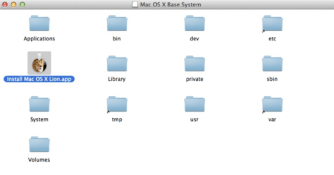
At the prompt type: hdiutil attach “/Volumes/Recovery HD/com.apple.recovery.boot/BaseSystem.dmg”
Once you have access to the Media using this method you can use it to create the boot environment your K2000 will need to image your Mac computers! Don’t forget to pay attention to the licensing considerations when deploying any Operating System. Always refer to your vendor documentation and follow the rules!

 Eddie Turner's Blog